

Small businesses with outdated websites take a big risk. A site packed with old content, slow to load or hard to read on a phone can send customers running. If your website looks dusty, it’s probably turning buyers away before you even get a chance to tell them about your business.
A lot of small business owners settle for a poorly built website because they don’t see why quality matters. Plenty of small businesses still don’t have a website at all, and many of those that do are stuck with a site that’s poorly optimized and doesn’t work well on phones. That’s a great way to send customers off to shop somewhere else.
Slow loading pages, a bad mobile experience and a tired look are some of the things people hate most online. Think stock photos they’ve already seen on every competitor’s site and annoying pop ups that won’t go away.
People’s patience is melting away, and everyone is used to getting results instantly. About 60% of users leave a website that takes more than five seconds to load.
On top of that, 63% of consumers judge how trustworthy a business is by the quality of its website. If you want more visitors to turn into customers, you need a site that’s built for search engines, helps people find what they need and makes your contact info easy to spot.
In this article, you’ll learn how to improve your website by figuring out what it’s missing right now, plus a few practical tips on web design and SEO.
What’s wrong with your website
Did you build a website when you first started your business and haven’t touched it since?
Chances are it’s showing its age and doesn’t keep up with how people use the internet today.
Here are five problems your website might have and how to fix them.
1. One in three small businesses can’t be found online
Keeping up with every change to Google’s search algorithm isn’t easy, especially for small businesses.
One in three businesses doesn’t show up in Google search results at all, because its website has little or no authority in Google’s eyes. Google measures this partly with something called PageRank, one of the signals its algorithm uses. On top of that, many small business owners don’t really understand SEO, short for search engine optimization, even though it’s key to ranking well on Google.
Main problems
- Using the wrong keywords. Keywords are still one of the basics of SEO. The trouble is, many small businesses pick the wrong ones and end up ranking for terms that have nothing to do with what they actually sell.
- Poor SEO setup. About 63% of small business websites have no H1 heading, and 65% are missing image alt text. Those are just two of the things that bury your pages deep in Google’s search results.
Tips
- Review your content. Go through every page on your site. Remove duplicate content, and add H1 headings and image alt text so each page is better optimized.
- Use SEO tools. Pick a few SEO tools to track your keywords, manage your SEO and keep an eye on your website analytics.
2. 60% of people won’t buy from an outdated website
One in three small businesses takes care of website maintenance on its own. Many of them just don’t have the time to keep it updated. That’s why they often skip important things like mobile friendliness, ease of use, fresh content and social media integration.
A website that looks a little too vintage can cost you two thirds of your target audience and send you sliding down Google’s results. Fresh content is one of the key signals Google uses to decide which pages to show first.
Main problem
- No new content. According to one survey, 29% of consumers think a website is outdated if it hasn’t been updated in the last six months. A lack of fresh content or updates pushes websites down in Google’s rankings. If your business is online, in marketing or in any field that follows the latest trends, keeping your content fresh is a must.
Tips
- Create new content. Start a blog or a news section and add interesting posts for your visitors on a regular basis. Small businesses that keep a blog get 126% more leads than those that don’t.
- Update your old content. Go back through older pages and give them a refresh so they line up with what’s relevant today. Small tweaks and minor layout changes don’t count as fresh content. You need to really rework each article, or even rewrite it from scratch. Showing the date a page was updated can help your rankings, but it isn’t enough on its own. Keep in mind that Google can penalize websites that change the date without actually updating the content.
3. 21% of small business websites aren’t mobile friendly
Today, more than half of all web traffic comes from phones. If your website isn’t built for mobile, you’re missing out on a lot of visitors. Making it responsive is one of the smartest moves you can make.
57% of users say they wouldn’t recommend a business with a website that doesn’t work well on mobile. Those same people are likely to head straight to a competitor’s site if they can’t find what they need on their phone.
Main problems
- Too much or too little content. If your site is overloaded with text and images, it gets hard to read and navigate on a phone. But if you cut too much to please mobile users, they won’t find what they’re looking for and get frustrated. Content that’s just right and kept light makes your site much easier to get around.
- Slow loading and browsing. The average mobile landing page takes 22 seconds to fully load. That’s probably way more than your visitors are willing to wait. About 36% of websites are heavier than 2 MB and take more than 7 seconds to load, while bounce rates shoot up after just 3 seconds.
Tips
- Build a site that adapts. On both the mobile and desktop versions of your site, put the content and features first that match what your customers want and what your site is for. For example, lots of people research on their phones but finish buying on a computer. Your website needs to meet people’s needs on every device. Many web design tools come with mobile friendly templates.
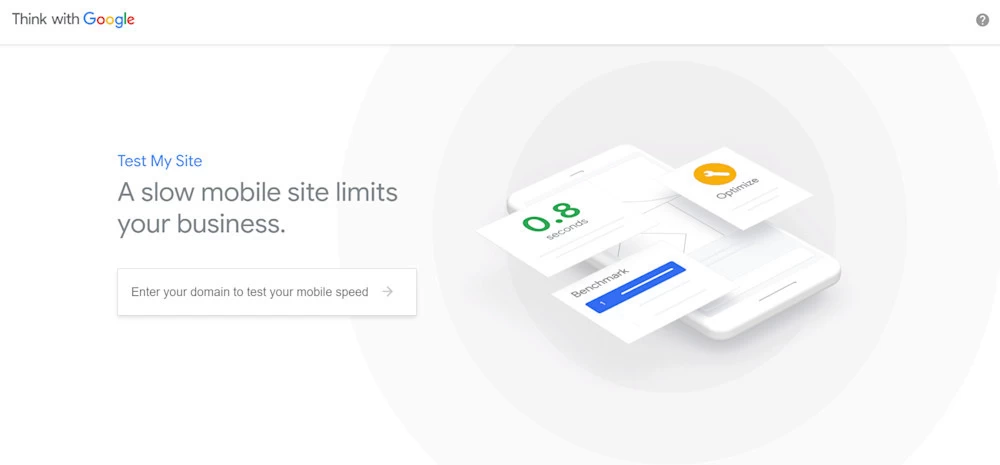
- Test your mobile site. Use Google’s free PageSpeed Insights to check how easy your site is to use and how fast it loads on a phone. Compress images and files so pages load faster. Also pay attention to how people actually use your mobile site to see if it gives them what they expect.
4. 93% of small business websites are missing a call to action
You want your website visitors to become customers. So why do so many businesses forget to show their contact info where people can see it? If potential customers can’t find it, they’ll quickly move on to a competitor’s website.
According to one survey, 42% of visitors leave a website if it doesn’t include basic practical information.
Main problems
- Missing contact details. 93% of small business websites don’t list an email address, and 49% don’t show a phone number on their homepage.
- No links to social media. 91% of small business websites don’t include a Facebook feed, and 94% don’t include an X feed.
Tips
- Add your contact info. There are a few easy ways to do it. Put your email address and contact details in the footer of every page, since phone and email are the ways customers most like to reach a business. Create a Contact page with your street address, a Google Maps link, an email address, a phone number and any other useful details.
- Connect your social media accounts to your website. Add Facebook, X, LinkedIn and other social feeds to your homepage or footer. That keeps visitors moving between your social profiles and your website. And don’t forget to stay active and talk with your customers on those platforms too.
- Add live chat. 73% of users prefer to ask questions through live chat. Online chat can also boost your chances of converting visitors by 20%, not to mention all the extra leads you can collect. There are plenty of popular live chat apps that are easy to add to your site.
5. 40% of shoppers worry about security when buying online
Four out of ten people worry about how safe the websites they shop on really are. Another survey found that 49% of consumers don’t trust online shopping because they’re afraid of hacking and privacy breaches. People also pay close attention to whether an online store looks trustworthy, and they won’t hesitate to abandon their purchase before checking out.
An unsecured website can cost you customers and money. The SSL padlock icon lets people quickly tell secure sites apart from the rest.
Google’s search algorithm ranks unsecured pages lower. Google also flags every website and connection that isn’t encrypted.
Main problems
- No SSL certificate. Without an SSL certificate, the data sent between a visitor’s browser and your web server isn’t encrypted, so it can be stolen or tampered with.
- Vulnerable plugins. Plugins add features to your website. On platforms like WordPress, thousands of different developers build plugins, and their security varies a lot. They’re a common target for hacking attacks.
Tip
- Switch to HTTPS. An SSL certificate moves your site from HTTP to HTTPS, which makes it more secure and more trustworthy. The number of encrypted websites has grown fast, and today most of the web runs on HTTPS. If your site doesn’t, it stands out for the wrong reasons.
Who should handle your website redesign, your own staff or an outside pro?
Here are a few things to think about.
Doing it in house. Your own marketing or IT people can handle the redesign if
- you have web designers on staff
- you can put a lot of time into the project
- you’re ready to pay for web design software
Doing it in house is often the cheapest option, since it may only cost you a few hundred dollars depending on the templates and themes you pick.
Hiring an agency or a freelancer. Handing your website to outside experts makes life easier and lets you focus on running your business. You’ll need to
- choose a good provider
- work with them to set clear goals and deadlines
An agency usually costs more than twice what a freelancer charges, but you typically get a whole crew covering design, development and SEO in one place.